Back to all projects
Personal Projects / September 21, 2024
Dotfiles
My personal backup of my dotfiles, featuring i3-wm, rofi, polybar, and more.
Screenshots
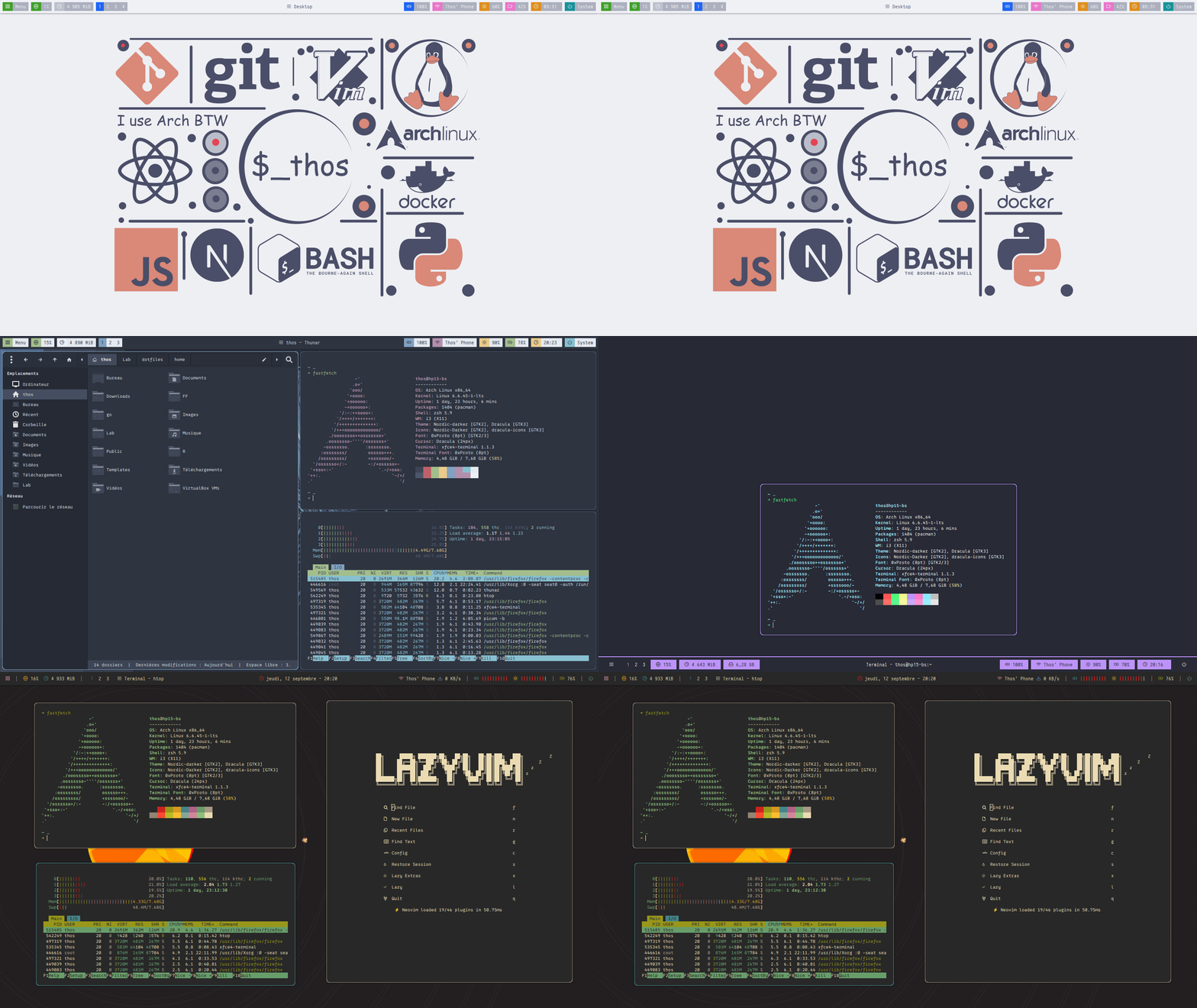
Details
- WM i3-wm
- Launcher rofi
- Panel polybar
- Compositor picom
- GTK Fonts 0xProto, Iosevka Custom, etc.
- File Manager thunar
- Web Browser firefox
- Task Manager htop
- Power Manager tlp
- Image Viewer viewnior, feh
- Terminal alacritty, xfce4-terminal
- CLI Shell zsh
- Notification Daemon dunst
- Text Editor vim, neovim
- Music Player rhythmbox, mixxx
- Media Player mpv, vlc
- Wallpaper Handler feh, pywal
Keybinds & Mousebinds
- Super + Enter launch alacritty
- Super + Shift + Enter launch xfce4-terminal
- Super + Shift + w launch firefox
- Super + Shift + f launch thunar
- Super + d launch rofi
- Ctrl + Print xfce4-screenshooter
- Print scrot
- Super + h,j,k,l change focus
- Super + Arrows change focus
- Super + Shift + h,j,k,l move focused window
- Super + Shift + Arrows move focused window
- Super + 1-9 switch to workspace 1-9
- Super + Shift + 1-9 move focused container to workspace 1-9
- Super + q kill focused window
- Super + f fullscreen toggle
- Super + s layout toggle split
- Super + z layout stacking
- Super + w layout tabbed
- Alt + b split in horizontal orientation
- Alt + v split in vertical orientation
- Super + Space floating toggle
- Super + Shift + Space focus mode_toggle
- Super + r mode resize
- Super + e launch powermenu
- Super + Shift + r restart i3
- Super + Shift + c reload i3 configuration
- Ctrl + Alt + p switch polybar style
- Ctrl + Alt + c switch colorscheme
More keybinds are available in the ~/.config/i3/config file
Installation
Prerequisites
Ensure the following dependencies are installed:
git, stow, i3-wm, i3lock-color, feh, polybar, rofi, alacritty,
dunst, picom-git, brightnessctl, xidlehook, scrot,
papirus-icon-theme.
Quick Install:
yay -S git stow i3-wm i3lock-color feh polybar rofi alacritty dunst picom-git brightnessctl xidlehook scrot papirus-icon-themeClone the Repository
git clone --depth=1 https://github.com/berthosefin/dotfiles ~/dotfiles
Deploy Dotfiles
cd ~/dotfiles && stow home -t ~Post-Setup
- Replace occurrences of
thoswith your username in the configuration files. - Reboot your system to apply changes.
- Fix any potential errors that arise after reboot.
- You're all set! Start working with your new setup.
Notes
- Inspect before use: Ensure you review the configuration before applying it.
- Backup: Always create a backup of your current configuration before applying new dotfiles.